Multi-School & Group Planning
Easily configure and execute route planning at any organizational level to match your exact network hierarchy.
Key Highlights:
- Dynamic domain hierarchy: Execute route planning from single-route optimization for a specific vehicle up to school-wide or city-wide network optimization.
- Multi-school consolidation: Seamlessly combine students from multiple schools with different bell times onto the same routes to maximize fleet utilization.
- Targeted group management: Filter and group students by specific parameters, locations, or criteria to streamline the initial planning phase.
Multiple Scenarios
Test, simulate, and compare different automated routing solutions before committing to active operations.
Key Highlights:
- Scenario modeling: Run multiple routing scenarios by adjusting variables such as maximum ride times, or vehicle capacities.
- Side-by-side comparison: Evaluate simulated solutions to select the most cost-effective and operationally efficient plan.
- Risk-free testing: Experiment with different structural models without disrupting daily school transport operations.
Manual Adjustments
Retain full administrative control to fine-tune automated routes and adapt them to real-world constraints.
Key Highlights:
- Complete routing flexibility: Easily intervene in any automated solution to make minor modifications or adjustments.
- On-the-ground alignment: Tweak itineraries and stop sequences to perfectly match physical and localized road conditions.
- Expertise integration: Incorporate local driver knowledge and administrative insights directly into the final route design.
What If, Drag-n-Drop Map
Visualize changes instantly and perform real-time “what-if” analyses using an interactive map interface.
Key Highlights:
- Intuitive map editing: Easily modify route paths and stop sequences by dragging and dropping locations directly on the map.
- Instant visual feedback: Observe how spatial adjustments impact route geometry and efficiency in real time.
- Streamlined management: Simplify complex network adjustments through a user-friendly, visual interface.
Merging - Splitting Routes
Optimize your fleet capacity by dynamically combining or dividing routes based on changing student demand.
Key Highlights:
- Route consolidation: Merge under-capacity routes to reduce unnecessary mileage and cut operational costs.
- Itinerary division: Split overcrowded routes into smaller, manageable paths to maintain strict schedule adherence and comfort.
- Demand-driven flexibility: Continuously adapt your network structure to match shifting student enrollment and geographical distribution.
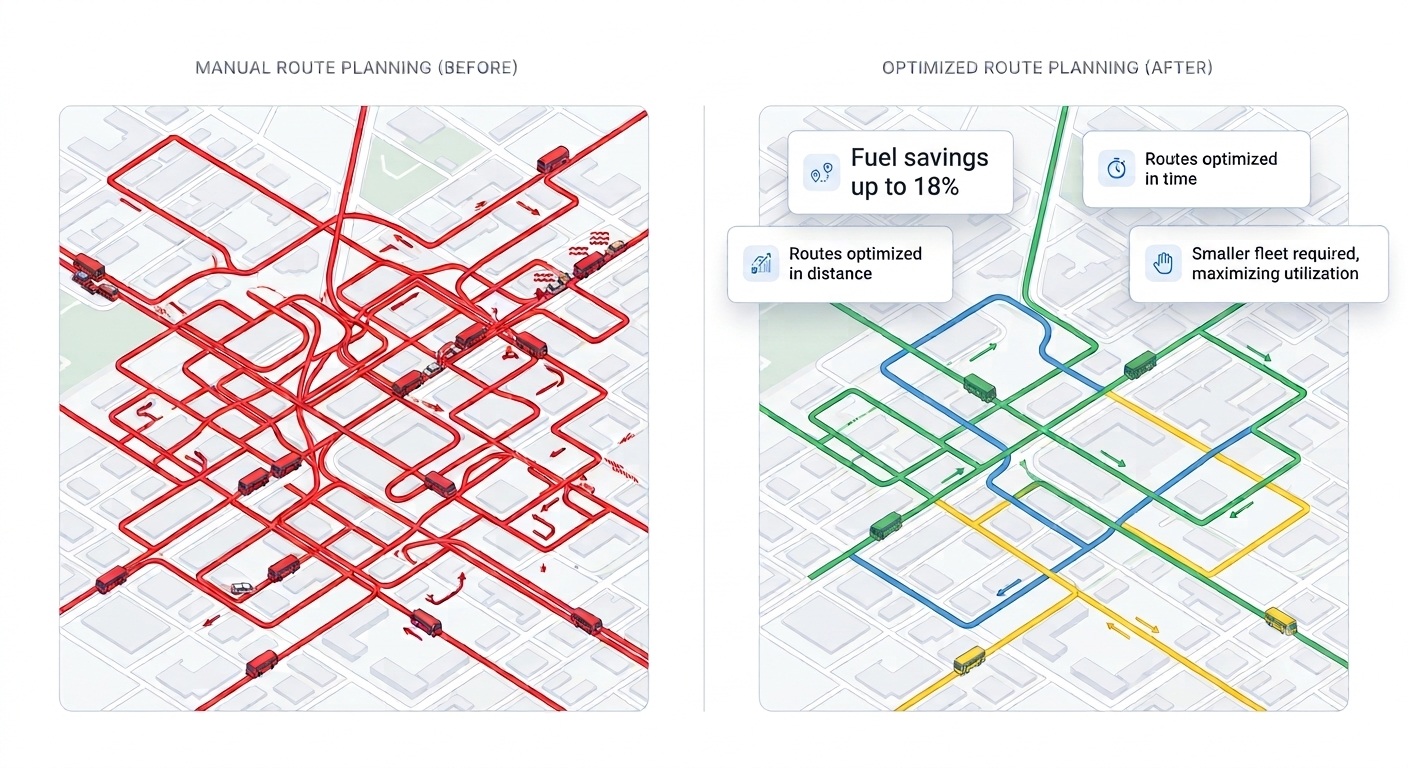
Manual Route Planning VS SBN Route Planning
FAQs
-
Can I consolidate multiple schools with different start times into a single route plan?
Yes. The platform features advanced multi-school route consolidation. It allows administrators to seamlessly combine students from different schools onto the same route, intelligently accommodating different bell times to maximize fleet utilization and significantly reduce empty runs.
-
Can I adjust routing parameters and compare different automated solutions?
Absolutely. The system empowers you to run multiple routing scenarios by adjusting variables such as maximum ride times, maximum walking distances to bus stops, or vehicle capacities. You can then compare these simulated solutions side-by-side to select the most cost-effective and operationally efficient plan before executing it.
-
Can I manually intervene and make minor adjustments to an automated routing solution?
Yes. While the system generates highly optimized automated routes, administrators retain complete control. Using an intuitive drag-and-drop map interface, you can easily tweak routes, alter pick-up sequences, or manually adjust specific bus stops to perfectly match real-world, on-the-ground constraints.
-
If I don’t have a specific fleet yet, how can the system provide an optimal solution before we rent or purchase vehicles?
The platform features intelligent fleet dimensioning tools. You can let the system automatically analyze your student demand and geographic spread to propose the exact types and quantities of vehicles you need (e.g., specific mixes of minivans versus large buses). Alternatively, you can input a custom pool of generic vehicle sizes. Based on this, the algorithm will optimize the routes and output the ideal fleet capacity required, ensuring you make fully informed procurement decisions and only pay for the capacity you truly need.
-
Can I restrict certain vehicles to specific areas, like using only small vans in an old town center with narrow streets?
Yes. Through detailed vehicle categorization and flexible resource association, you can apply strict geographic and operational constraints. You can tag specific vehicles (e.g., heavy buses) and restrict them from entering defined geographic zones (like historical centers), ensuring the algorithm only assigns appropriately sized vehicles to those specific narrow-street routes.